
Welcome to GrowhtHub Knowledge Base Hub
Welcome to GrowhtHub Knowledge Base Hub
Business Profile Setup Guide
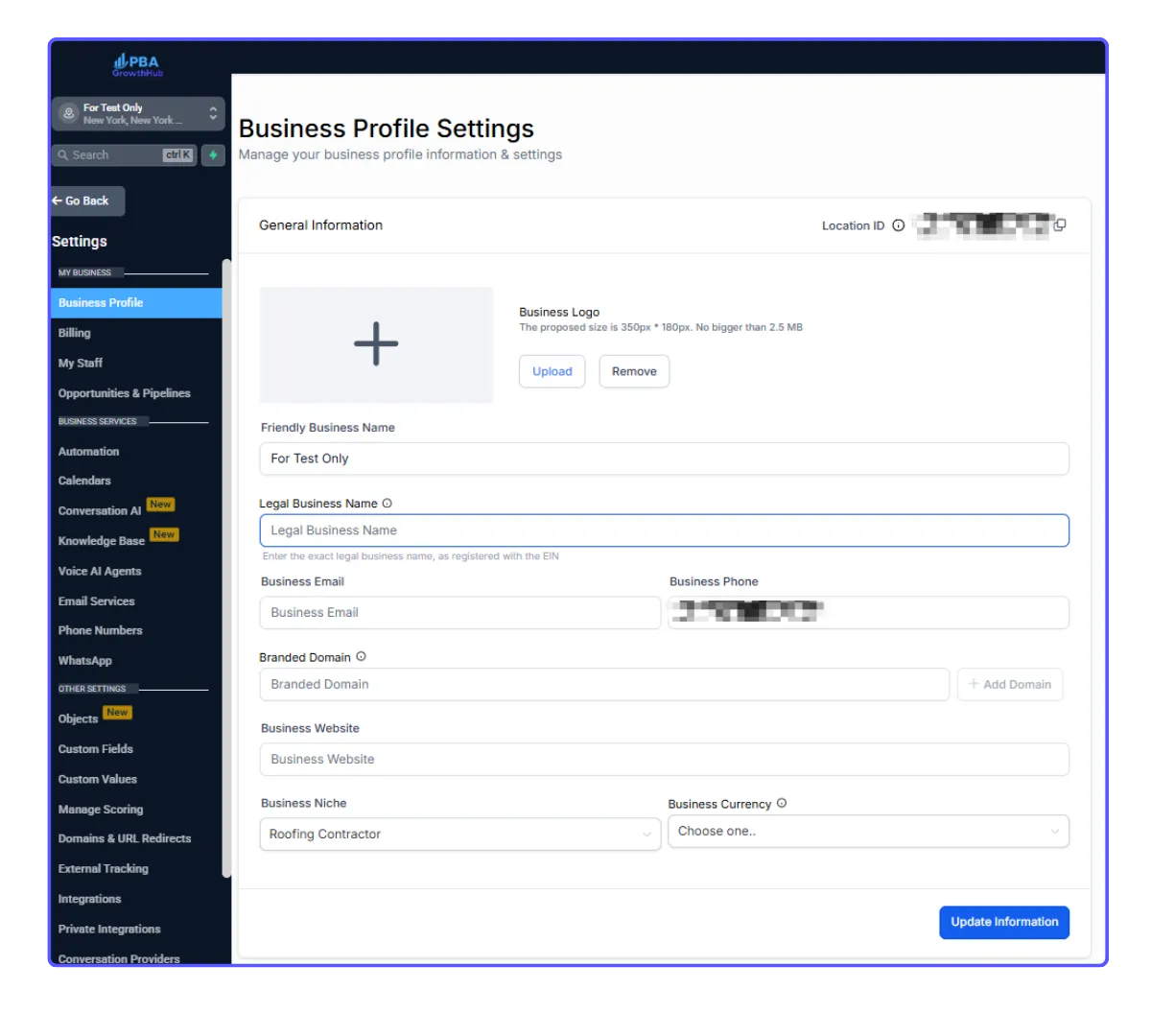
Your Business Profile is where you’ll enter all key details about your company — including your business name, address, contact information, website, logo, and other essential information.
Part 1: Accessing and Updating General Settings
1. Go to Settings > Business Profile > General Information
2. Enter the necessary details for your business
3. Click “Update Information” to save your changes
Part 2: Business Physical Address
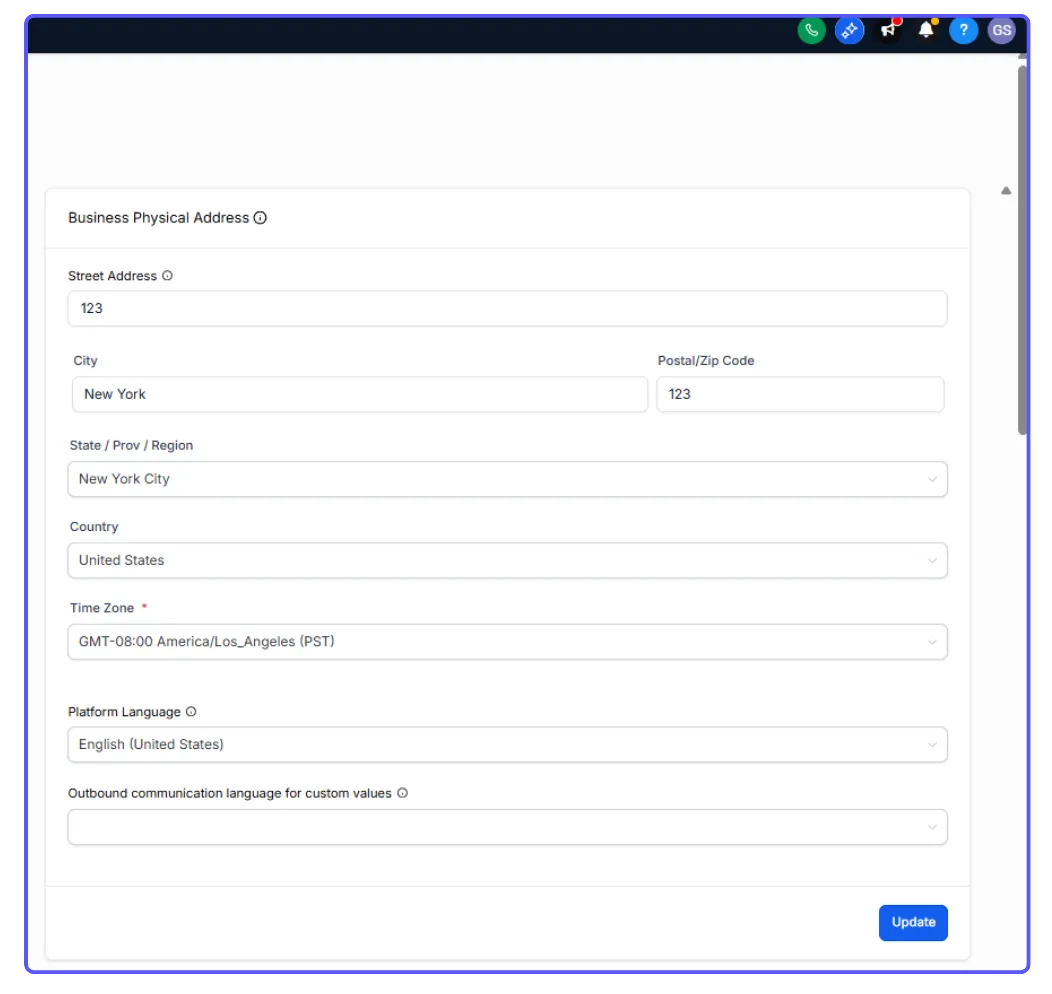
1. Provide your business address, timezone, and preferred language
⚠️ Important: The timezone setting determines how the entire system tracks time.
2. Click “Update” when finished
Part 3: Authorized Representative
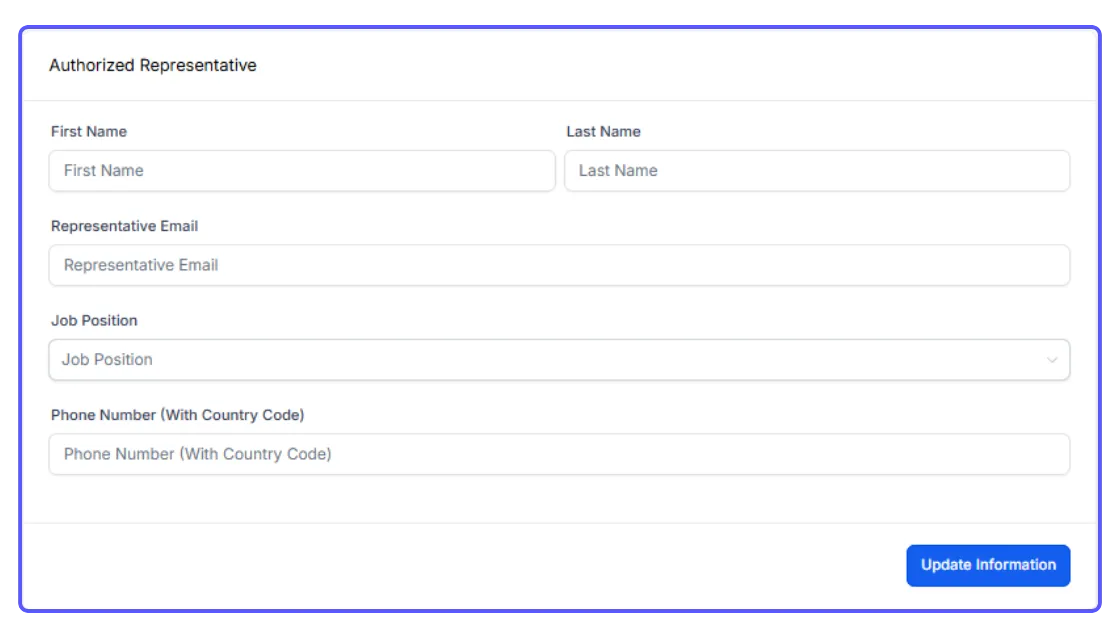
If your account has a designated authorized representative, enter their details in this section.
Part 4: Business Information
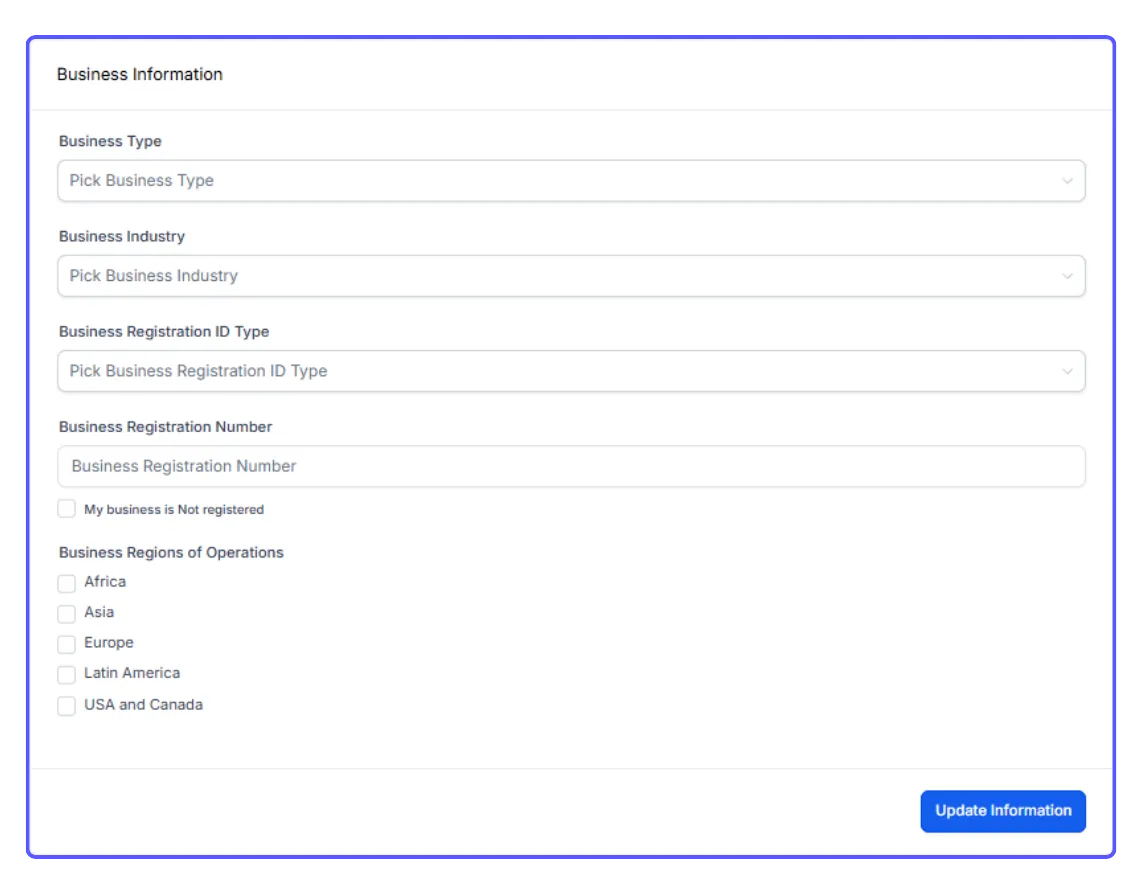
Complete this section with your general company information, ensuring all details are accurate and up to date.
Business Profile Setup Guide
Your Business Profile is where you’ll enter all key details about your company — including your business name, address, contact information, website, logo, and other essential information.
Part 1: Accessing and Updating General Settings
1. Go to Settings > Business Profile > General Information
2. Enter the necessary details for your business
3. Click “Update Information” to save your changes
Part 2: Business Physical Address
1. Provide your business address, timezone, and preferred language
⚠️ Important: The timezone setting determines how the entire system tracks time.
2. Click “Update” when finished
Part 3: Authorized Representative
If your account has a designated authorized representative, enter their details in this section.
Part 4: Business Information
Complete this section with your general company information, ensuring all details are accurate and up to date.